Open OpenBuild for the first time
A first look at OpenBuild — what the app is for, what the navigation gives you, and how to tell the seed virtual app is ready to play with.
Goal
By the end you will have opened OpenBuild, recognised the dashboard and the left-hand navigation, and seen the seed virtual app in your apps list.
Prerequisites
- A Nextcloud account on an instance where the OpenBuild app is installed and enabled.
- The OpenRegister app installed and enabled — OpenBuild stores virtual apps, schemas, templates and version snapshots in OpenRegister.
- The OpenBuild repair step has run, so the seed virtual app is present (it runs once on first enable; an admin can re-trigger it from Nextcloud admin → Overview).
Steps
-
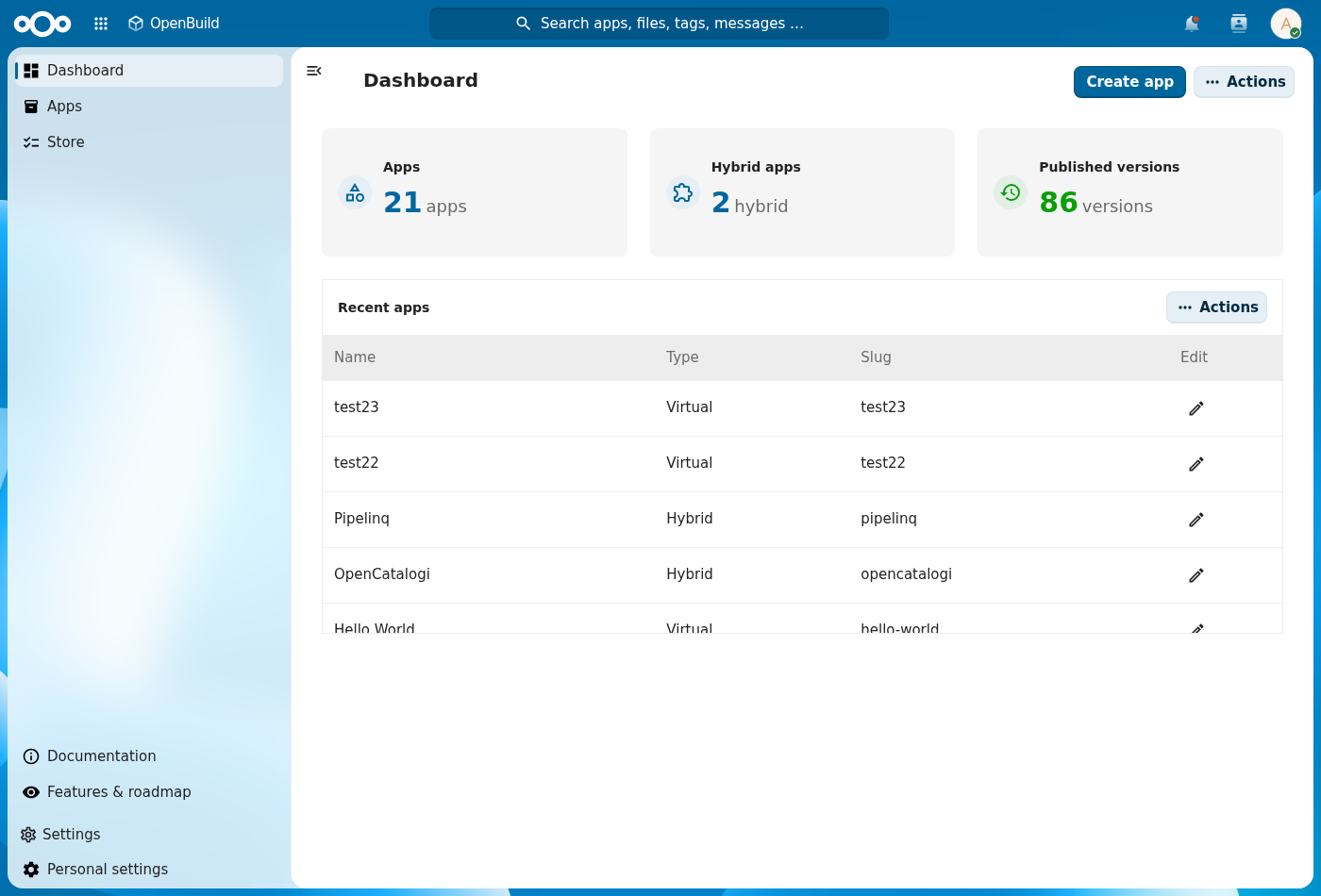
Open the Nextcloud app menu in the top bar and pick OpenBuild. You land on the dashboard, with stat tiles (your apps, published, templates, published versions) pulled from OpenRegister.
-
Look at the left-hand navigation. The entries map onto what OpenBuild manages: Dashboard, Apps (your draft and published virtual apps), Store (the template gallery you can clone from), plus Documentation, Features & roadmap and Settings.
-
Click Apps (your virtual apps). The list opens with a Cards / Table toggle, an Add button, and the OpenRegister side filters. The seed app row is the one to start poking at — click it to open, then use Edit with OpenBuild to start changing it in place.
Verification
You are set up correctly when: the OpenBuild dashboard renders without an error banner, the left navigation lists the entries above, and Apps shows at least the seed app row.
Common issues
| Symptom | Fix |
|---|---|
| "OpenRegister is not installed or enabled" banner | Install and enable the OpenRegister app, then reload OpenBuild. |
| Apps list is empty | The repair step did not run — an admin re-enables OpenBuild, or runs php occ openbuild:repair on the host. |
| OpenBuild is missing from the app menu | The app is not enabled for your account — ask an administrator to enable it (and check it is not restricted to a group you are not in). |
Reference
- Create an application from a template — the natural next step.
- Build your app in-app — edit an app once it's open.
- Admin settings — register, version, support contact.