Create an application from a template
Templates are pre-built virtual apps — schemas, pages, sample data — for recognisable use cases (a permit workflow, a citizen consultation, an HR onboarding flow). Cloning one is faster than starting from blank, and you refine it afterwards in-app.
Goal
By the end you will have cloned a template into an editable draft virtual app, named it, and opened it for editing.
Prerequisites
- You completed Open OpenBuild for the first time.
- At least one template in the gallery — OpenBuild ships several out of the box. Admins add more via Manage the template catalogue.
Steps
-
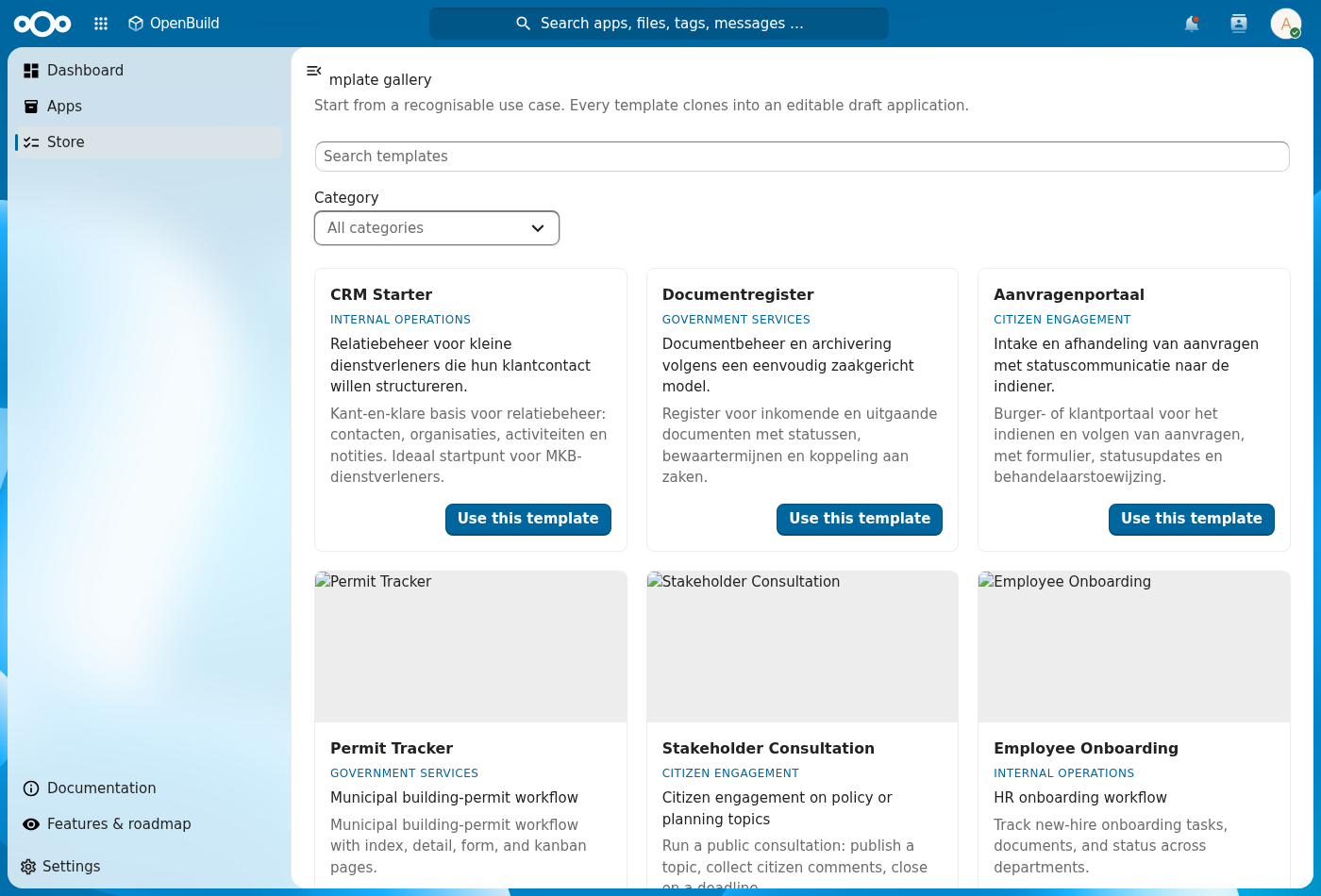
Click Store in the left navigation to open the template gallery. It shows one card per template with a category, a short description and a Use this template button.
-
Pick a card that matches what you're building — the category badge hints at where the template is most at home. Hover for the longer description.
-
Click Use this template. A dialog asks for the new application's Name, Slug (URL-safe, auto-derived from the name) and an optional Description.
-
Click Create. OpenBuild clones the template's schemas, pages and sample data into a new application record, sets the status to Draft, and returns you to the Apps list.
-
Open the new app and click Open to run it, then Edit with OpenBuild to start customising — add/move/configure widgets, edit pages, menu and data, all in place. See Build your app in-app.
Verification
The clone is complete when: the new application shows in Apps with the name you gave it and status Draft, and it opens and runs without a load error.
Common issues
| Symptom | Fix |
|---|---|
| Use this template spins forever | The clone runs as a background job — wait a minute and reload the Apps list. |
| Slug field rejects your input | Slugs must be lowercase, hyphen-separated, no spaces or special characters. |
| The cloned app has no schemas | The template's schemas were renamed or deleted on the host since it was authored — pick a different template, or re-import the canonical set from Manage the template catalogue. |
Reference
- Design a schema — customise the cloned data model.
- Build your app in-app — adjust the cloned screens in place.
- Manage the template catalogue — what an admin can do here.