Run and refine your app
There is no separate "preview" step in OpenBuild — your virtual app is live.
It runs at /apps/openbuild/builder/<slug>, rendered from its manifest, exactly
as an end user sees it. You click through it like a real user, and when you spot
something to change you fix it in place with Edit with OpenBuild — no
round-trip through a separate designer.
Goal
By the end you will have opened your virtual app, clicked through its menu, opened a record on a detail page, and made a small refinement in-app.
Prerequisites
- A virtual app with at least one page (see Build your app in-app).
- The app's data resolves — a register with at least one row, or a connector source that returns rows (see Connect a register or connector).
Steps
-
Open the app. From the OpenBuild Apps list click your app, then Open (or go to
/apps/openbuild/builder/<slug>directly). The app loads in its live shell: its title in the header, its menu on the left.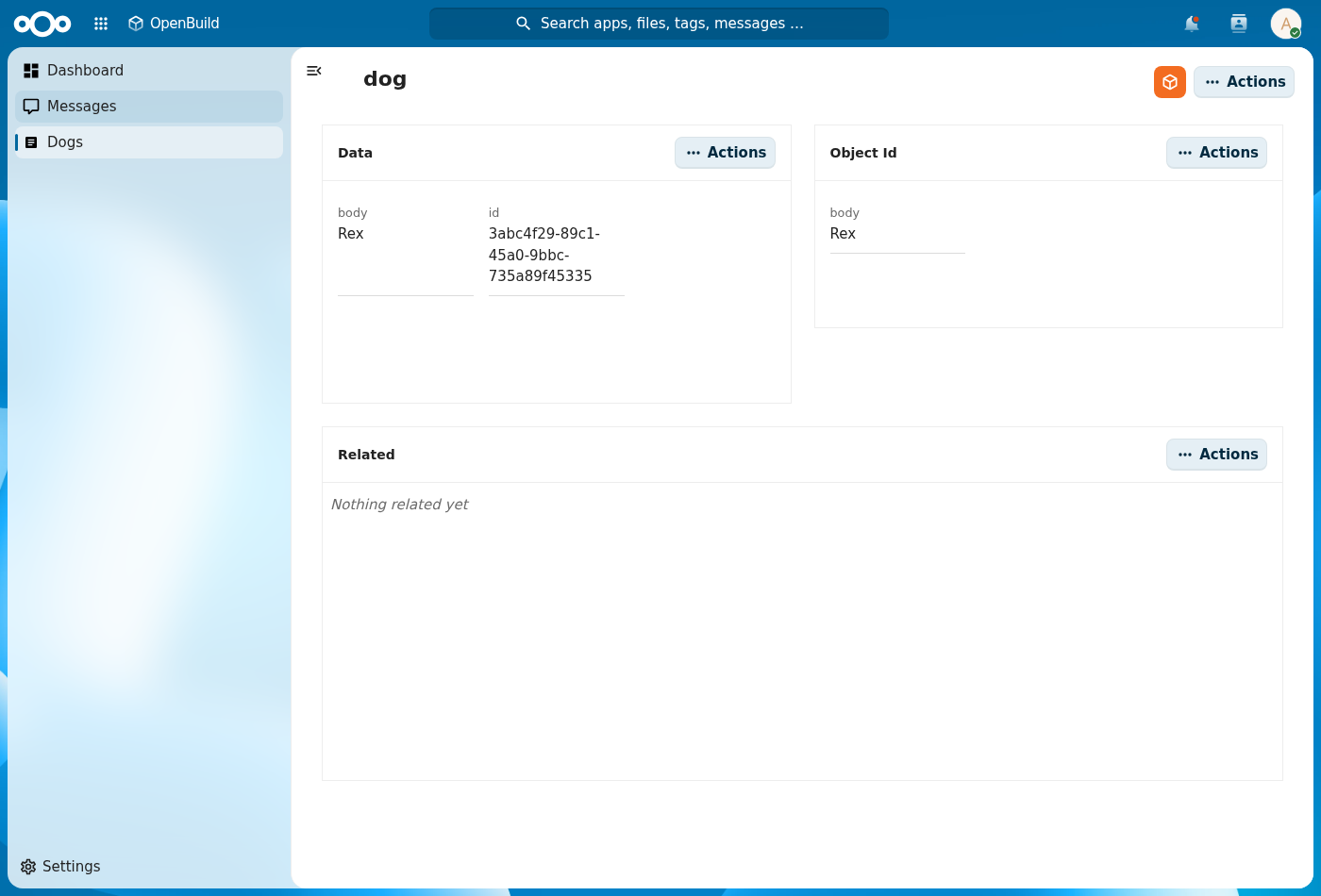
-
Click the menu. Every entry should resolve to a page with no error banner. Index pages list records; detail pages open a single record; dashboard pages show their widgets.
-
Open a record. On an index page, click a row to open its detail page. The detail body shows the Data and Related widgets (and anything else you added).
-
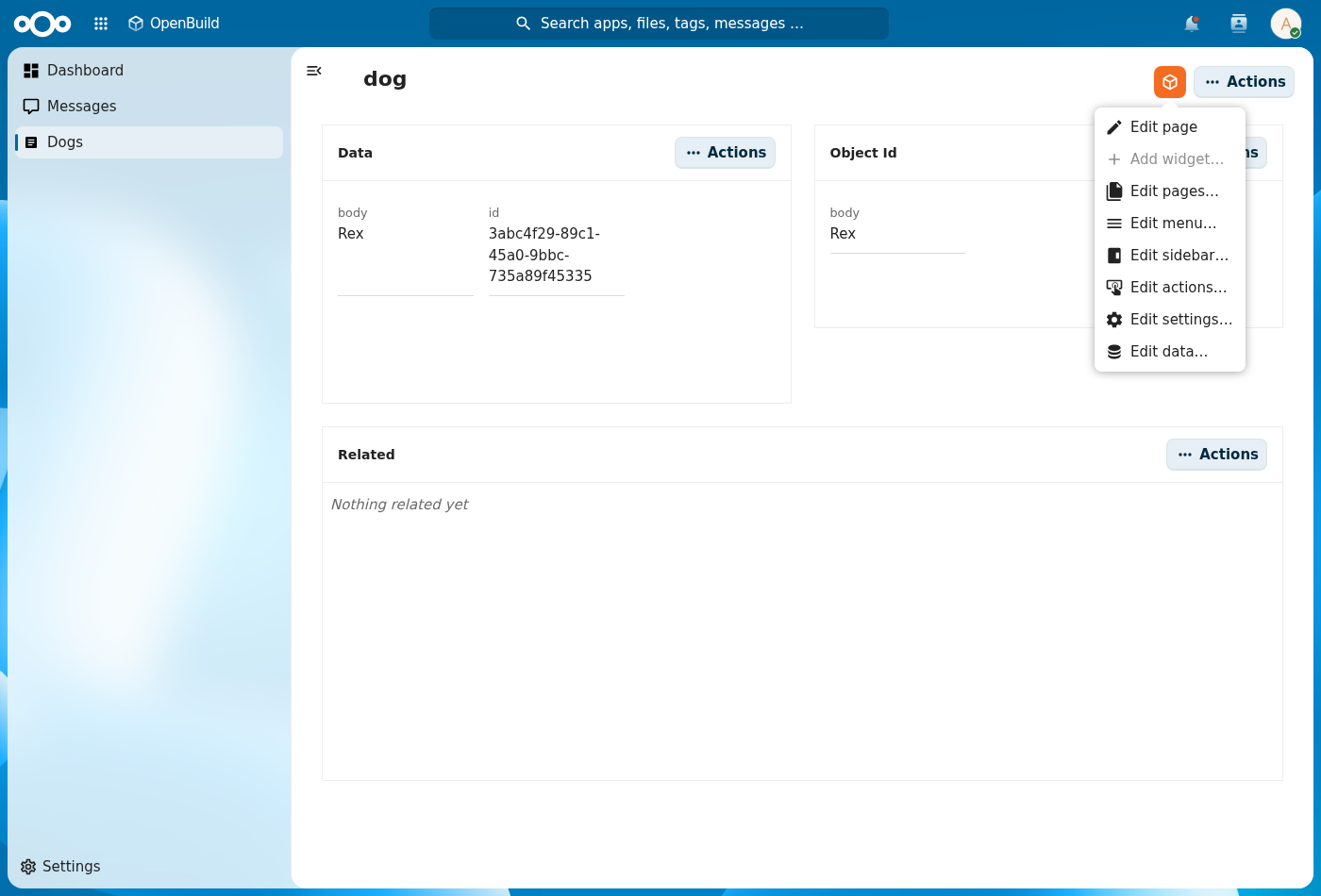
Refine in place. Spot something to change? Click Edit with OpenBuild → Edit page, adjust the grid / widgets, and Save page. There's no separate build surface to switch to and no redeploy — the manifest updates and the page re-renders. See Build your app in-app.
Verification
The app runs correctly when: every menu entry resolves to a page with no error banner, list rows load, detail pages show their data, and an in-app edit survives a reload (the manifest persisted).
Common issues
| Symptom | Fix |
|---|---|
| The shell shows "App manifest not found" | The app has no pages yet — open it and add one via Edit with OpenBuild → Edit pages…. |
| A menu entry 404s | Its page was removed but the menu entry kept — fix it in Edit with OpenBuild → Edit menu…. |
| A page lists no rows | The register/schema has no records yet, or a connector source returns nothing — add a record or check the source. |
| An edit "disappeared" after reload | You left edit mode with Cancel or didn't Save page — re-edit and save. |
Reference
- Build your app in-app — the in-app editing flow in full.
- Snapshot and roll back a version — capture the state before a risky change.
- Export the app — once it runs the way you want.